If your family is looking into a fall sensor, you are probably carrying a quiet worry about someone you love. This guide is here to help you move through that worry together, at a pace that feels right for everyone.
Key takeaways
- A fall sensor is a wearable or home device that detects a fall and sends an alert automatically, without a button press.
- Fall sensors use an accelerometer and gyroscope to recognize fall motion, then start a countdown before contacting a monitoring center.
- Adults aged 65 and older fall more often, because balance, vision, and medication side effects change with age.
- A monitoring center is a 24/7 staffed facility that receives the alert, speaks with the wearer, and dispatches emergency help.
- No fall sensor detects every fall, so a sensor supplements home safety changes, exercise, and regular medication review.
- A fall sensor only works when worn, so consistent daily wear, including showering and sleeping, determines a sensor’s value.
- A false alert is an alert triggered when no fall occurred, often from bumping or setting down the device.
The Conversation No One Wants to Have
Most families do not go looking for a fall sensor on a calm afternoon. They start after a stumble on the stairs, a bruise no one mentioned, or a phone call that rang too many times before anyone picked up.
If that is where you are, take a breath. Wanting your parent to stay safe and wanting them to stay independent are not in conflict. You can hold both.
Start with how they feel, not what they should do
The hardest part is usually the first sentence. It helps to lead with care instead of a checklist.
Try something like: “I have been thinking about how we can help you keep living the way you want, for as long as possible.” That opens a door. “You really should get one of those alert buttons” tends to close it.
Your loved one may push back. Many older adults hear “fall sensor” and picture losing their freedom, not keeping it. That reaction is normal, and it deserves patience rather than a sales pitch from their own child.
Give the conversation more than one try
This rarely gets settled in a single talk. You might plant the idea, let it sit, and come back to it after a week. Caregiving is built from many small moments, not one big decision, a truth we wrote about in The Caregiver’s Heart.
The goal of the first conversation is not a signed contract. It is permission to keep talking.
Understanding Fall Risk in Adults 65 and Older
If your family worries more than it used to, the numbers explain why. The National Council on Aging reports that falls are the leading cause of fatal and nonfatal injuries among older adults, and about one in four adults over 65 falls in a given year. More than half of those falls happen at home, often in a room your loved one has used safely for decades.
Those numbers are not meant to scare anyone. They are meant to explain why this is worth a calm, honest look as a family.
Why time on the floor matters so much
When an older adult falls and cannot get up, the minutes that follow carry real weight. Clinicians call this a long lie: time spent on the floor, unable to move, before help arrives.
Research in The BMJ found that a long lie is associated with more serious outcomes, including a longer hospital stay and lasting loss of mobility. A fall sensor does not stop the fall. It shortens the wait for help.
Falls are common, and they are not a personal failing
It helps to say this part out loud to your loved one. A fall does not mean they are careless or no longer capable. Balance, vision, and medication side effects all shift with age, and that is biology, not fault.
Framing fall risk as something a family manages together, rather than something one person failed to prevent, makes the rest of these conversations easier.
How Fall Sensors Fit Into a Broader Safety Plan
A fall sensor is one tool in a wider plan, not the whole plan. The strongest approach pairs the device with everyday changes that lower the odds of a fall in the first place.
The everyday work that prevents falls
Most fall prevention happens long before any device is needed. The basics carry a lot of weight:
- Staying active with walking, tai chi, or simple strength and balance exercises
- Asking a doctor or pharmacist to review medications that cause dizziness
- Keeping vision and hearing checked and up to date
- Clearing clutter, securing rugs, adding grab bars, and lighting hallways at night
Our fall prevention checklist for families walks through the home safety side in more detail.
Where the sensor comes in
Even in the safest home, some falls still happen. Someone faints, loses their footing in the dark, or slips getting out of the shower.
A fall sensor is the backup for those moments. Think of it as the safety net under the work everyone is already doing, not a replacement for any of it.

What Families Need to Know About Fall Sensor Technology
A fall sensor is a wearable or home-based device that uses motion sensors to recognize when someone has fallen and send an alert on its own, without anyone pressing a button. Most are built into a wristband, a watch, or a pendant.
You do not need to become an engineer to choose one. A few plain-language terms cover almost everything that matters.
The words worth knowing
A PERS, or personal emergency response system, is a device that connects your loved one to help 24 hours a day through a button, a voice command, or automatic fall detection.
A monitoring center is a staffed facility, open around the clock, that receives the alert and decides what to do next. Trained agents can talk to your loved one, call the family, and send emergency services.
A false alarm is an alert triggered when no fall occurred, like when a device is set down hard or bumped against furniture.
How the sensor actually decides
Inside the device, an accelerometer measures sudden changes in movement and a gyroscope tracks rotation. When the motion matches the pattern of a fall, the device starts a short countdown. Some devices let users adjust the length of the countdown, trading a faster response for more time to cancel accidental alerts.
If your loved one is fine, they can cancel during that countdown. If they cannot respond, the alert goes out. It is far better to risk an occasional false alarm than to fall, hit your head, and have no way to call for help.
No sensor catches every fall. A good one shortens the gap between a fall and a response, which is the part that protects independence.
Choosing a Device Your Loved One Will Actually Wear
Here is the line that matters most: the best fall sensor for seniors is the one your loved one will actually wear, every day, without a fight.
A drawer full of features helps no one. Comfort and consistency beat a long spec sheet.
Ask the wearability questions first
Before comparing brands, picture a normal day for your loved one and ask:
- Will they wear it in the shower, where many falls happen? That calls for a waterproof device.
- Will they keep it on at night, when trips to the bathroom raise the risk?
- Does it suit their taste? Some older adults accept a watch far more readily than a pendant worn over their clothes.
Match the device to the person
A fall sensor for elderly parents who value style will land differently than one chosen purely on price. Dignity is part of the decision, not a nice-to-have.
Senior care writer Jenny Wisniewski’s medical alert buyer guide puts wearability first for exactly this reason. If your loved one feels like the device fits who they are, they keep it on, and a device that stays on is the only kind that works.
Setting Up, Testing and Managing the Device Together
Once a device arrives, set it up as a team. Doing this together signals that the sensor belongs to the whole family, not just the person wearing it.
Most providers offer a trial period of about 30 days. Use it. Have your loved one wear the device through a normal week, then test the help button and ask the monitoring center to run a practice alert so everyone knows what to expect.
A gentle setup checklist
This list is about working through the basics together, not pressure or perfection. Check off what you can, and come back to the rest.
☐ We unboxed and charged or activated the device together
☐ Your loved one chose how and where to wear it
☐ We tested the help button at least once
☐ We ran a practice alert with the monitoring center
☐ We confirmed who gets called, and in what order
☐ We talked through what happens during a real alert, so it feels familiar
☐ We agreed on a simple way to handle a false alarm without anyone feeling embarrassed
☐ We picked a date to check in and see how it is going
Keep it low-stakes
If a false alarm happens, treat it as the system doing its job, not a mistake. The lighter everyone keeps these moments, the more comfortable your loved one will be wearing the device long term. If false alarms are frequent, contact the provider and see if they can adjust the sensitivity to better match the wearer’s lifestyle. A device that constantly cries wolf will quickly end up unused in a drawer.
Talking to Doctors, Therapists and Care Teams
The people who already care for your loved one can make this decision sharper and less lonely. Bring them in.
Who to ask, and what for
A primary care doctor can review fall risk and check whether any medications add to it. A physical or occupational therapist can assess balance, gait, and home safety, and recommend the kind of device that suits your loved one’s specific needs.
Occupational therapists are especially worth seeking out. They spend their careers helping people stay independent at home, and they tend to speak about fall sensors in practical, respectful terms rather than alarming ones.
Bring your questions
Write down what you want to know before the appointment: How serious is the fall risk right now? Would a wearable sensor help? Are there exercises or home changes to add alongside it?
A care team that hears the same questions from the family tends to give clearer, more useful answers. You do not have to figure this out alone.
Medical Alert Devices Are Not for Everyone
When considering a medical alert device for your loved one, be realistic about whether it’s the right fit for their situation. Someone with advanced dementia may not be able to remember how or when to use it, while someone with severe arthritis or limited mobility may struggle to put it on, take it off, or press the help button during an emergency. The best choice depends on your loved one’s physical abilities, cognitive needs, and the level of support they require.
Why the UnaliWear Kanega Watch Works for the Whole Family
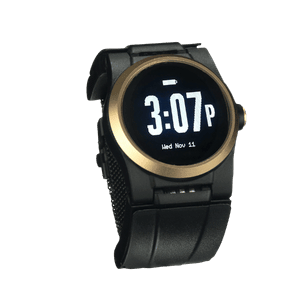
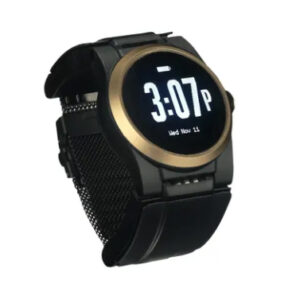
Plenty of fall sensors can help in the right situation. When families ask us what makes the Kanega Watch a good fit for everyone involved, three things tend to matter most.
Fall detection trained on real falls
RealFall™ fall detection was trained on actual falls from real Kanega Watch wearers rather than on staged falls in a lab. That helps it recognize how older adults move in everyday life. As additional real-world fall data is collected, the RealFall™ detection model continues to improve its recognition of genuine falls over time.
The Kanega Watch’s fall detection sensitivity is adjustable, allowing wearers to choose a sensitivity range that best matches their lifestyle. Wearers can also choose a shorter or longer alert delay, balancing faster emergency response with more time to cancel false alarms.
No system catches every fall, and we will never claim otherwise, but RealFall is built to close the gap between how seniors really fall and what the software sees.
A watch your loved one never removes to charge
Most devices need a nightly stop on a charger, and every hour off the wrist is an hour without protection. The Kanega Watch uses swappable band batteries, so your loved one stays covered around the clock without taking the watch off. For a parent who refuses anything that lives on the nightstand, that one detail can be the difference between a worn device and a forgotten one.
A real monitoring center, not just a phone tree
When the watch detects a fall, or your loved one speaks a command or presses the button, the call reaches a staffed, US-based monitoring center. Trained agents assess the situation, contact your family, and send help with your loved one’s location. That gives the whole family peace of mind, and it gives your loved one a calm voice on the line when it counts.
The right fall sensor protects the life your loved one already has rather than shrinking it. As we wrote in Empowering Independence, the best safety tools work quietly in the background, so your family can worry a little less and live a little more.
If you would like to talk it through with no pressure and no hard sell, call 888-343-1513 or email community@unaliwear.com. Our Care and Safety Experts can help you find what fits your loved one’s routine, your family, and your budget.
Extending independence with dignity.