If your parent lives alone, you have probably pictured the worst version of a fall: the one where they are on the floor and cannot reach the phone. Automatic fall detection is built for that exact moment, when no one can press a button.
Key takeaways
- Automatic fall detection senses a fall and contacts help on its own, without the wearer pressing a button or speaking a command.
- A manual help button requires the wearer to press the button, while automatic fall detection sends an alert with no wearer action.
- A long lie, the time an older adult spends on the floor after a fall, raises the risk of dehydration, pneumonia, and pressure injuries.
- Falls are the leading cause of injury death among adults 65 and older, and about one in four older adults falls each year (CDC).
- Automatic fall detection devices come as in-home base units, mobile pendants, and wrist-worn watches, each covering a different range.
- No automatic fall detection system catches every fall, so fall detection works alongside home safety changes and regular check-ins.
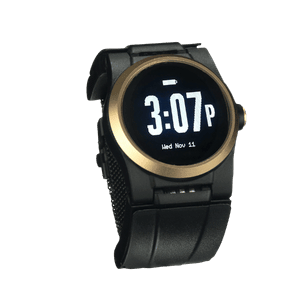
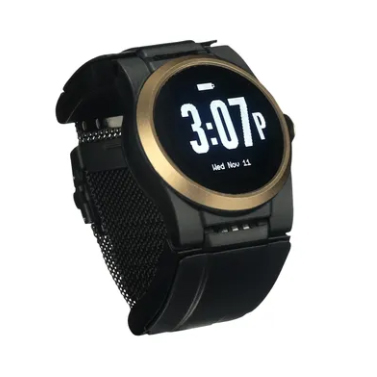
- The Kanega Watch detects falls with RealFall™ and connects to a 24/7 US-based monitoring center that can dispatch emergency help.
What Happens When a Parent Falls and Cannot Press the Button
It is 2 a.m. Your mother gets up to use the bathroom. She loses her balance in the dark and goes down. Her medical alert pendant is on the nightstand, six feet away. She cannot get up, and she cannot reach the button.
That gap is the problem most families never plan for. A traditional medical alert system only helps if your parent can press the button or speak a command. A hard fall can knock someone unconscious. A stroke or a faint can leave them awake but unable to move an arm.
This is the scenario automatic fall detection was designed to cover. If your parent cannot call for help, the device calls for them.
The long lie problem
Geriatricians use a specific term for time spent on the floor after a fall: a long lie. It means the minutes or hours an older adult stays down before anyone arrives.
A long lie turns a survivable fall into a medical emergency. Time on the floor raises the risk of dehydration, pressure injuries, pneumonia, and muscle breakdown. Dr. Warren Wong, a geriatrician interviewed by AARP, notes that extended time on the floor can turn a recoverable injury into a hospital stay or a permanent loss of mobility.
About one in four older adults falls each year, and falls are the leading cause of injury death in that age group, according to the Centers for Disease Control and Prevention. Many of those falls happen at home, in the rooms where a parent is most likely to be alone and out of reach of the button.
Why a button is not enough
A help button assumes two things: that your parent is conscious, and that they can move. Neither is guaranteed after a serious fall.
That is the reason this category exists. Automatic fall detection can connect your parent to help even if they cannot press the button.

What Automatic Fall Detection Actually Is and How It Works
What is automatic fall detection?
Automatic fall detection is a feature in a wearable device that senses a fall and contacts help on its own, without the wearer pressing a button or saying a word. AARP describes it as technology that “doesn’t require a person to push a button for help” and instead “detects a fall and automatically contacts the response center, family member or caregiver.”
The distinction is simple. Manual alerts wait for your parent to act. Automatic detection acts for them.
Manual help button vs. automatic detection
A manual medical alert works when your parent presses a button or speaks a command. It covers the falls where they stay alert and can reach the device. It is also helpful during medical emergencies that do not involve a fall, such as if your parent is having difficulty breathing.
Automatic fall detection adds a second layer for the falls where they cannot. Most families want both, because each one covers situations the other misses.
How the device senses a fall
Inside the wearable sit two small sensors. An accelerometer measures sudden changes in speed and direction. A gyroscope tracks rotation and orientation, so the device knows the difference between sitting down and dropping to the floor.
Most systems follow three steps:
- The sensors detect a motion pattern that matches a fall.
- The device starts a short countdown so your parent can cancel a false alarm.
- If no one cancels, the device contacts the monitoring center or emergency contacts.
Some systems let users adjust the length of this countdown, trading a faster response for more time to cancel false alarms.
Where automatic fall detection devices work
Automatic fall detection devices come in two main forms, and each one defines its own coverage range.
In-home systems run off a base station, so they only protect your parent within a set distance of that hub, often a few hundred feet. Mobile solutions, such as some pendants and automatic fall detection watches use cellular and GPS instead, so the coverage range extends anywhere your parent’s carrier has a signal, whether that is the backyard, the grocery store, or a walk around the block.
If your parent still drives, gardens, or takes daily walks, the coverage range is one of the first things to check. A device that only works in the living room leaves gaps everywhere your parent actually spends time.
No system catches every fall
Here is the honest part. No automatic fall detection is 100% accurate, and any company that promises otherwise is overselling.
Two kinds of errors happen. A false alarm triggers an alert when no fall occurred, like setting the device down hard. A missed fall means a real fall was not detected, which can happen when someone slumps slowly to the floor instead of dropping. Reputable device vendors will clearly note that while their devices are designed to tell “real falls” apart from “false alarms,” fall detection is never perfect.
Higher sensitivity settings may detect more real falls, but they can also increase false alarms. Lower sensitivity settings reduce false alarms but may miss some falls. Some devices let wearers adjust this balance to match their lifestyle and preferences.
Treat fall detection as a strong safety layer, not a guarantee. It works best alongside a few home safety changes, regular check-ins, and a medical alert button your parent can still press.
Who Needs Automatic Fall Detection Most
Automatic fall detection helps any older adult living independently, but it matters most for parents whose falls are more likely to leave them unable to call for help.
Signs your parent may benefit
Your parent may need automatic fall detection if any of these apply:
- ☐ They live alone or spend long stretches of the day by themselves
- ☐ They have fallen before, or you have noticed new bruises they brush off
- ☐ They take blood thinners, where a fall carries a higher risk of serious bleeding
- ☐ They have fainting spells, low blood pressure, or balance problems
- ☐ They have a condition that can cause sudden loss of consciousness
This is not a test your parent passes or fails. It is a way to think through risk together, at your own pace.
Conditions that raise the stakes
Some health conditions make a long lie more dangerous, because they raise the odds your parent will be on the floor and unable to act.
Strokes, seizures, and cardiac events can leave someone conscious but unable to move, or unconscious entirely. Cognitive changes can leave a parent confused about how to get help after a fall. In each case, a device that calls on its own fills the gap a button leaves open.
Choosing the right system for your parent
The best automatic fall detection systems are not always the ones with the longest feature list. The best device with automatic fall detection for your family is the one your parent will wear every day, in the shower, overnight, and on the walk they take each morning. Our medical alert buyer guide puts wearability first for the same reason: consistency beats features.
Match the device to their routine first. A homebody may do fine with an in-home unit, while an active parent needs the wider coverage range of a watch or mobile pendant. Independent reviewers evaluate systems for both false alarms and missed falls, which is a useful starting point when you compare options.
Why the Kanega Watch’s RealFall™ Technology Stands Apart
Many automatic fall detection devices can call for help after a fall. The Kanega Watch takes a different approach in three key areas: how it detects falls, how it continues to improve over time, and how it connects your loved one to help when every minute matters.
Trained on real falls, not lab simulations
Most fall detection learns from staged falls: healthy young volunteers dropping onto padded mats in a lab. Real older adults do not fall that way.
RealFall™ fall detection was trained on actual falls from real Kanega Watch wearers. That means the system learns from the way seniors fall in daily life, not from a controlled demonstration. NYT Wirecutter has reviewed the Kanega Watch for four consecutive years.
How RealFall improves over time
RealFall™ continues to evolve as additional real-world fall data is collected, helping refine how the detection model recognizes real falls. The Kanega Watch also learns each wearer’s normal movement patterns over time, helping reduce false alarms from everyday activities. No system catches every fall, and we will never claim it does. The goal is to keep improving recognition of real falls while reducing false alarms.
The Kanega Watch also lets wearers adjust both fall detection sensitivity and the length of the alert countdown, balancing faster emergency response with more time to cancel accidental alerts.
A live monitoring center, not just a 911 call
When RealFall™ detects a fall, or when your parent presses the button or speaks for help, the watch connects to a US-based monitoring center staffed around the clock. A trained agent assesses the situation, talks with your parent, contacts family, and, if needed, dispatches emergency services with the watch’s location.
Many consumer smartwatches dial 911 and nothing more. The Kanega Watch keeps a real person on the line. It also uses swappable batteries, so your parent never has to remove it to charge, which closes the overnight and shower gaps where other devices sit on a dock.
No device replaces the care of a family who checks in. As we wrote in Empowering Independence, the right technology protects freedom rather than limiting it. What automatic fall detection adds is reassurance for the hours you cannot be there, so a fall in the next room does not become hours alone on the floor.
If you want to talk through whether automatic fall detection fits your parent’s situation, call 888-343-1513 or email community@unaliwear.com. Our Care and Safety Experts can walk you through how it works, with no high-pressure sales.
Extending independence with dignity.