Seniors today have more wrist-worn options than ever, and more confusion about which one actually keeps them safe. A medical alert watch and a smartwatch can look nearly identical on the wrist while serving fundamentally different purposes. Here, you’ll find a clear breakdown of how they compare, where smartwatch fall detection falls short, and what to look for when safety is the priority.
Why Seniors Are Rethinking What They Wear on Their Wrist
For decades, medical alert systems meant one thing: a bulky pendant worn around the neck, broadcasting vulnerability to everyone in the room. Seniors hated them, and many quietly stopped wearing them altogether.
Wrist-worn technology changed the conversation. Smartwatches looked like something people actually wanted to wear, and that appeal drew many seniors to explore a smartwatch medical alert as an alternative to the pendant they’d been avoiding.
But looking good and performing well in an emergency are entirely different standards. The wrist is now the right location. The device sitting on it still needs to earn its place.
What Is a Medical Alert Watch vs. a Smartwatch?
A smartwatch is a consumer device. It tracks steps, delivers notifications, and mirrors your phone on your wrist. The design philosophy prioritizes features, and the audience is anyone who wants a connected, capable piece of technology they can enjoy wearing.
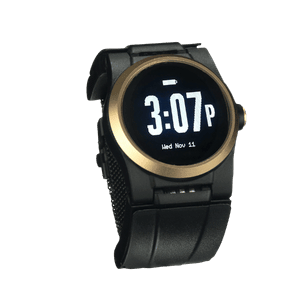
A medical alert watch is built around a single, non-negotiable priority: getting you help when something goes wrong. Every hardware and software decision flows from that goal: the emergency button placement, the fall detection engine, the monitoring center on the other end of the line.
The confusion between the two categories grows when brands add surface-level safety features to consumer devices. An Apple Watch medical alert setup, for example, involves configuring health apps and emergency contacts on a general-purpose smartwatch. A dedicated medical alert watch carries those functions natively, with no configuration required and no features competing for the battery that keeps you protected.
How They Compare: A Side-by-Side Breakdown
The differences between a smartwatch and a dedicated medical alert watch go deeper than branding. Across every feature that matters in an emergency, the design priorities diverge sharply.
| Feature |
Smartwatch (e.g., Apple Watch) |
Medical Alert Watch (e.g., Kanega Watch) |
| Fall Detection Quality |
Simulated/predictive data, no personal learning |
Real fall data, AI that learns each wearer’s movements |
| Emergency Response |
Calls 911 directly |
Connects to trained live agents 24/7/365 |
| Charging Requirements |
Full removal required, up to 18 hours of battery |
Swappable band batteries, never removed from the wrist, 24-36 hours of battery life |
| Connectivity |
WiFi or cellular (requires smartphone nearby or separate contract) |
Dual cellular + home WiFi, fully standalone |
| Ease of Use |
Touchscreen, multiple apps, configuration required |
Single button or voice command, arrives pre-programmed |
| Smartphone Dependency |
Requires iPhone for full functionality |
No smartphone needed, ever |
| Monitoring Center Access |
None |
US-based, TMA 5-Diamond certified agents |
| 24/7 Wearability |
No. Removed nightly to charge |
Yes. Worn continuously, including overnight |
The Agent vs. 911 Gap
When a smartwatch medical alert triggers, it calls 911 and notifies emergency contacts. That sounds adequate until you consider what a trained response agent actually provides: someone who knows your name, your address, your medical history, and your emergency contacts before they even speak to you. A 911 dispatcher works from scratch. An agent with your profile dispatches exactly the right help, whether that’s EMS, a neighbor, or a family member down the street.
The Charging Problem No One Talks About
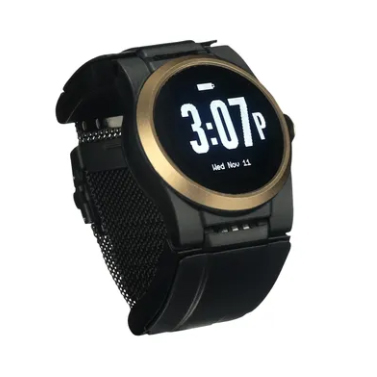
Falls happen at night, on the way to the bathroom, in the shower, or before bed. A smartwatch that’s sitting on a charging stand during those hours offers no protection at all. A dedicated medical alert watch band, such as the Kanega Watch, solves this with a patented quick-swap battery system: two rechargeable batteries clip into the band, and swapping them takes under a minute without removing the watch. Round-the-clock protection stays intact.
Standalone vs. Tethered
A dedicated medical alert watch typically includes cellular service as part of its monthly subscription. By contrast, the full safety feature set on an Apple Watch ties directly to iPhone ownership and, depending on the model, requires a separate cellular contract. For seniors who don’t use a smartphone or don’t want to manage one, that dependency is a real barrier.
For a deeper technical breakdown of how the Apple Watch and the Kanega Watch compare specifically in fall detection, see a full comparison here.
The Truth About Fall Detection on Smartwatches
Smartwatches do detect falls. The more useful question is how well, and what happens next.
Most smartwatch fall detection systems train on simulated or lab-predicted fall data, not on actual falls from real wearers. That gap in training data produces two problems: missed real falls and false alerts triggered by ordinary movements. Neither improves over time, because the algorithm doesn’t learn from the individual wearing it.
A general-purpose smartwatch also has to account for the full range of its user base, from mountain bikers to marathon runners. Its fall detection has to work across high-impact, high-intensity activities that bear little resemblance to the situations seniors actually face. A dedicated medical alert watch sidesteps that entirely. It can be built and trained specifically on the fall patterns most common in older adults, so it isn’t splitting its accuracy across activities the wearer will never do.
When an Apple Watch medical alert does fire correctly, it routes to 911. No context, no personal profile, no judgment about whether the situation calls for emergency services or simply a neighbor with a spare key.
What to Look For in a Medical Alert Watch
Not every device marketed as a smart watch medical alert delivers equal protection. These are the criteria that separate reliable life-safety devices from consumer wearables with safety features bolted on.
- Fall detection trained on real falls:. Look for fall detection built from actual fall data collected from real wearers, with AI that adapts to each individual’s movement patterns over time. The Kanega Watch’s patented RealFall™ technology does exactly that, continuously refining its accuracy the longer it’s worn.
- A monitoring center, not a hotline to 911: When a fall triggers an alert, a trained agent who already knows your name, location, and emergency contacts responds in seconds. The Kanega Watch connects to a US-based TMA 5-Diamond-certified monitoring center around the clock, every day of the year.
- A charging design that doesn’t create a coverage gap: Any medical alert watch that requires removal to charge leaves the wearer unprotected during the hours when falls are most likely to happen. The Kanega Watch’s swappable medical alert watch band battery system keeps the watch on your wrist continuously, with a quick battery swap taking under a minute.
- Dual connectivity for full coverage: Cellular alone isn’t enough, particularly at home, where signals run weakest. The Kanega Watch runs on both Verizon nationwide cellular and home WiFi simultaneously, closing the coverage gaps that single-network devices leave open.
Transparent, all-inclusive pricing:Shoppers searching for a medical alert watch with no monthly fee often discover that the essentials, automatic fall detection, cellular data, medication reminders, and live monitoring, come at an added cost on top of the base plan. What looks affordable upfront can add up quickly once the necessary features are included. The Kanega Watch bundles all of it into a single plan with no hidden costs and no long-term contract.