Older adults across the US are living longer and more independently than any previous generation, and personal emergency response systems have become a frontline tool in enabling that. In this guide, we cover how PERS works, what separates home-based from mobile coverage, and what to look for when choosing a device for yourself or someone you love.
What Does It Mean to Stay Safe, Independent, and Connected?
For older adults, safety, independence, and connection aren’t three separate goals; they reinforce each other. A senior who feels safe moves through life with confidence. One who stays connected to family, neighbors, and community stays mentally and emotionally engaged. And real independence isn’t about going it alone; it’s about having reliable support close enough to call on when it matters, so life keeps moving on your own terms.
What Is a Personal Emergency Response System?
A personal emergency response system is a wearable device that connects users to emergency assistance at the press of a button, a voice command, or an automatic fall alert. Designed primarily for older adults living alone or with limited mobility, PERS devices give users a direct line to help without relying on a nearby phone.
The personal emergency response systems market has expanded steadily alongside global aging trends, driven by a growing preference for aging in place over assisted living facilities.
Early personal emergency response systems for seniors were simple: a pendant, a base station, and a landline connection. Modern devices look and function very differently. Today’s options span neck pendants, wrist-worn bands, and smartwatch-style devices with built-in GPS, cellular connectivity, and automatic fall detection.
How PERS Works: From Button Press to Help Arriving
Understanding how personal emergency response systems work helps users and caregivers make smarter choices and trust the technology more fully. The process moves fast, but each step carries weight.
The Alert: Three Ways to Trigger Help
A user can activate a personal emergency response system by pressing a physical button, speaking a voice command, or doing nothing at all if automatic fall detection is active. Fall detection monitors movement patterns continuously and sends an alert the moment it registers an impact consistent with a fall, even if the wearer is unconscious or unable to reach the button.
Signal Transmission: Why Connectivity Redundancy Matters
Once triggered, the device transmits the alert via cellular network, Wi-Fi, or both. Dual connectivity matters because cell signals weaken in bathrooms, basements, and interior rooms where many falls happen. A device that can route through home Wi-Fi when cellular coverage drops keeps the connection intact regardless of where in the home the emergency occurs.
Monitoring Center to Dispatch
The alert reaches a staffed monitoring center, where a trained agent opens two-way audio with the wearer through the device itself. GPS data transmits simultaneously, pinpointing the user’s location for whoever responds. The agent then coordinates the appropriate help, whether that’s a family member, a neighbor, or emergency services.
At-Home vs. On-the-Go: Choosing the Right Coverage
Coverage type is one of the most practical decisions when choosing a personal emergency response system for seniors, and where emergencies actually happen should drive it.
Falls Happen Mostly at Home
The majority of fall-related emergency department visits among older adults occur indoors, with the bedroom, bathroom, and stairs being the most common locations. Home-based PERS units, which pair a base station with a wearable button, cover these scenarios, but only within a limited range of the base unit.
Roughly a third of falls occur outside the home in everyday community settings, such as parking lots, grocery stores, and walking paths. A home-based system offers no coverage there.
Why Mobile Coverage Is the Better Baseline
Mobile personal emergency response systems for seniors travel with the wearer, providing GPS-tracked protection at home and anywhere a cellular or Wi-Fi signal reaches. For most older adults living independently, a wearable device with both connection types is the more complete safety layer.
Cell signal alone isn’t enough indoors. Interior rooms, bathrooms with load-bearing walls, and basements routinely weaken or drop cellular coverage entirely. A device that automatically falls back to home Wi-Fi keeps the connection solid precisely where it’s needed most, in the spots where falls are most likely to happen.
What to Look For in a Personal Emergency Response System
Not all personal emergency response systems deliver the same level of protection, and the differences matter most in the moments when everything has to work. Evaluating a few key criteria before buying can prevent a costly mismatch between a device and a person’s actual life.
Fall detection algorithms vary widely across the personal emergency response systems market. Look for a device that uses real-world fall data to detect falls, learns individual movement patterns over time, and minimizes false alerts without missing genuine falls. A high false-alert rate trains users to ignore the device, which defeats the purpose entirely.
Connectivity should cover both cellular and home Wi-Fi. Cellular alone leaves gaps in interior rooms where the signal drops. A device that switches automatically between the two maintains continuous protection without requiring the user to do anything.
Wearability is crucial. A personal emergency response system only works if the wearer keeps it on. Devices that require nightly charging create a daily window of unprotected hours, often overnight, when falls are common. Swappable or hot-swap battery systems remove that gap entirely.
Design matters for consistent wear. A device that looks like a medical prop gets left on the nightstand. One that fits naturally into daily life gets worn.
When it comes to connectivity, confirm whether the device requires a smartphone or a landline to function. Many personal emergency response systems for seniors work best as standalone systems, requiring neither a paired phone nor a home base station.
The location and staffing of the monitoring center affect response quality. US-based centers with trained agents who have access to the wearer’s personal profile and emergency contacts deliver faster, more informed help than outsourced services working from a script.
The Kanega Watch: PERS Reimagined for Real Life
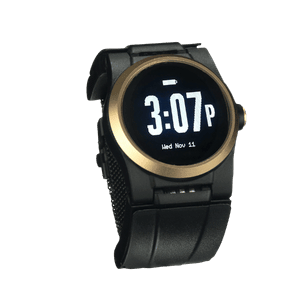
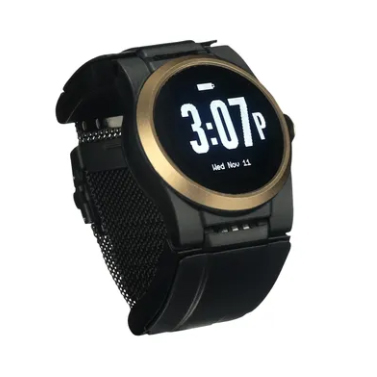
The Kanega Watch by UnaliWear addresses each of these criteria with technical precision. Its patented RealFall™ technology learns each wearer’s natural movement patterns and improves detection accuracy over time. Swappable band batteries eliminate nightly charging, so the watch stays on around the clock. Users can call for help by pressing a button, speaking a voice command, or relying on automatic fall detection, all without a smartphone or landline. Dual connectivity across Verizon 4G/5G and home Wi-Fi keeps coverage intact wherever the wearer is. Every alert reaches a US-based 24/7 monitoring center staffed by agents who have the wearer’s full profile on hand. You can explore more here.