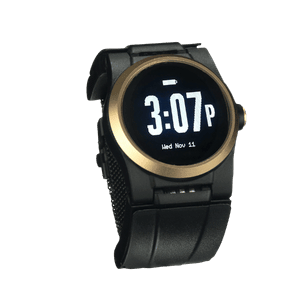
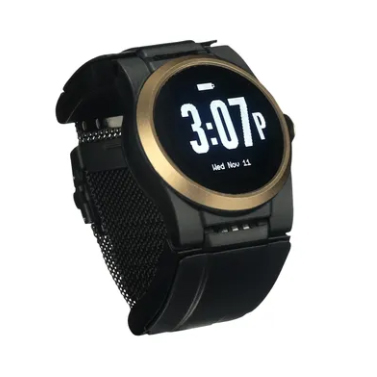
A medical alert button for seniors gives families something no amount of checking in can fully replace: immediate, automatic help when it matters most. In this guide, you’ll find a clear breakdown of how these devices work, what to look for in a wearable, and why the Kanega Watch stands apart.
What Is a Medical Alert Button and Why Every Family Needs One
A medical alert button connects a person wearing it directly to help: press it, speak to it, or let it detect a fall, and a trained response operator picks up within seconds. For families with an aging parent or relative living alone, it’s the difference between a close call and a crisis.
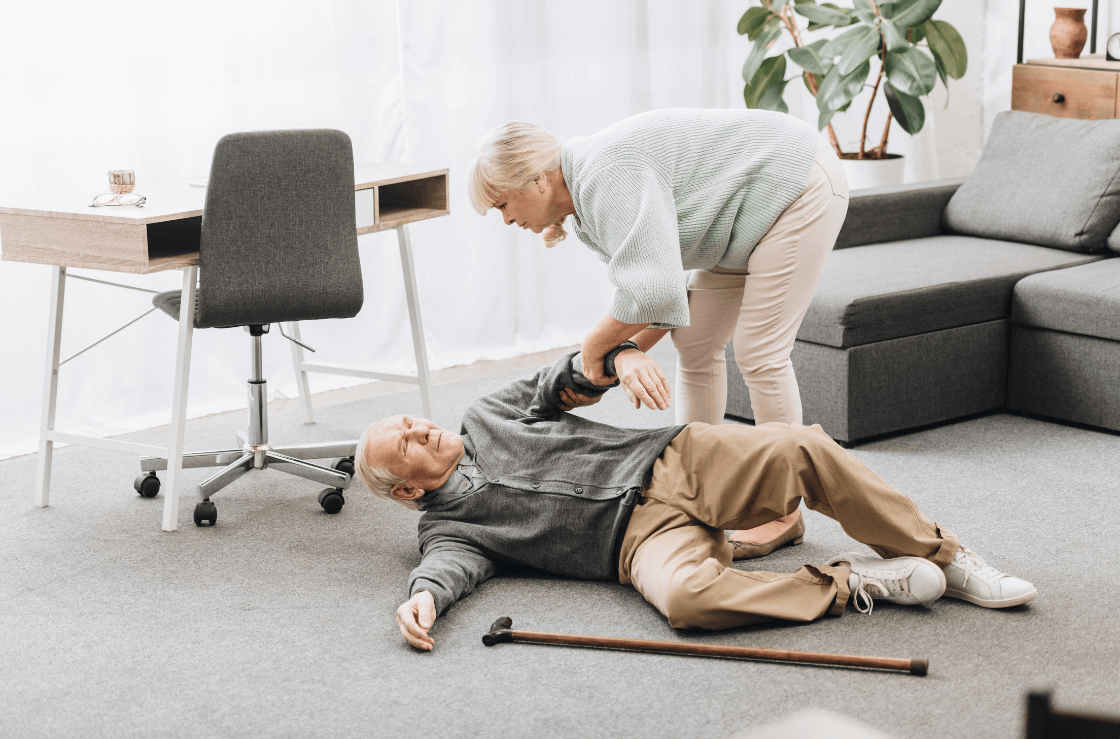
Most families start looking into a medical alert button for seniors after a scare: a fall in the bathroom, a dizzy spell with no one nearby, a parent who took too long to answer the phone.
Form Factor Shapes Whether It Gets Worn
The three most common options are the medical alert button necklace, the medical alert button bracelet, and watch-style wearables. A medical alert button necklace, which hangs from a lanyard, is often the most affordable entry point. A medical alert button bracelet sits on the wrist and feels more familiar to people who already wear a watch. Watch-style devices combine the alert function with a wearable that looks like everyday jewelry, which matters more than most families expect.
Who Actually Needs One
A medical alert button that calls family or a monitoring center serves anyone who spends time alone and faces a fall risk, whether due to age, a chronic condition, or simply living independently. When a loved one’s safety depends on getting help fast, waiting for someone to check in isn’t a plan.
How Wearable Technology Keeps Your Loved One Protected 24/7
The best wearable medical alert button for seniors stays on the body, connected, through every hour of the day and night. How that protection works in practice is where most devices either deliver or fall short.
The Battery Gap in Traditional Devices
Most medical alert button necklaces and bracelet-style devices rely on a docking station to charge. At least part of every day, the device sits on a nightstand while the person who needs it moves through their home unprotected. Falls happen in bathrooms, kitchens, and hallways, not on a schedule.
Devices with swappable batteries solve this directly. Swap one battery for a charged one without removing the device, and coverage stays continuous.
Multiple Ways to Trigger Help
Automatic fall detection activates when a sensor detects a fall pattern, alerting a monitoring center even if the wearer loses consciousness or can’t press any buttons. A manual medical alert button press gives the wearer direct control when they feel unwell before a fall happens. Some devices also support voice commands. The strongest devices support multiple activation methods.
Connectivity and Who Answers
WiFi covers the home, where cellular signals are often weakest. Nationwide cellular coverage handles everything outside. Together, they close the gaps left open by a single-network device. Some devices rely on an in-home base station, thereby limiting protection to the home and yard.
When an alert fires, a US-based monitoring center operator picks up with the wearer’s full profile already on screen: emergency contacts, medical history, and home access details. A medical alert button that calls family through a trained intermediary gets the right help faster than a direct call to emergency services alone. Devices that rely only on alerting loved ones are risky because there is no guarantee that a loved one will be reachable 24 hours a day, 365 days a year.
The Kanega Watch: Give Your Loved One Safety. Give Yourself Peace of Mind.
The Kanega Watch is a medical alert button for seniors built around one practical question: what does a person actually need to stay protected at every hour, in every room, wherever they go? The answers shaped every design decision.
Fall Detection Trained on Real Falls
Most devices detect falls using generic motion algorithms. The Kanega Watch uses RealFall™ fall detection technology, developed from actual fall data collected from real wearers. Over time, it learns each person’s natural movement patterns, which reduces false alerts without sacrificing sensitivity. Fall detection is included in every plan at no extra cost.
No Dock, No Coverage Gaps
The swappable battery system sets the Kanega Watch apart from both the medical alert button necklace and the medical alert button bracelet categories. Instead of placing the watch on a dock overnight, wearers swap one battery for a fully charged spare in seconds, without removing the watch. Four rechargeable lithium-ion batteries come included.
Three Ways to Reach Help
Wearers can press the crown button, speak a voice command, or rely on automatic fall detection. All three routes connect directly to a US-based monitoring center, staffed around the clock, with the wearer’s profile on screen: emergency contacts, medical history, and home access information. No additional devices, smartphones, or base stations are required.
Coverage and Setup
The watch connects via home Wi-Fi and automatically switches to Verizon cellular coverage nationwide. It ships pre-programmed and personalized, ready to wear straight out of the box.
For families weighing a medical alert button bracelet or necklace against a watch-style device, the Kanega Watch represents the best wearable medical alert button for seniors who want real protection without a device that announces itself as one. It’s available in Black, Champagne Gold, and Rose Gold.
What Families Are Saying About the Kanega Watch
The people closest to Kanega Watch wearers tend to speak in specifics, not generalities, and those specifics tell the story clearly.
“The Kanega Watch does a great job of understanding seniors, their desires, and their needs so that they will be happy wearing the watch constantly. This increases the likelihood that users will utilize the watch and its features appropriately to keep themselves or their loved ones safe in case of emergences”
“If you want a product that you can literally wear for 24/7, because you worry that falls happen at night and in the shower, and don’t want to take the alert off, then this is one of the few medical alerts that make that possible.”
“If fall detection is your number-one priority, the Kanega Watch’s round-the-clock monitoring and battery system make it our preferred choice.”
Families choose the Kanega Watch because it solves the problem that every other medical alert button for seniors leaves open: a device their loved one actually keeps on, day and night, with real help always within reach. Explore plans and pricing, and read more about all its features.